
Regardless the programming language the ultimate goal is to spit out as clean, standard and accessible code as possible. I come from a programming background and love all the hard core optimization and am always looking for the best framework. But it doesn’t mean anything if what the browser and user see is sub optimal.
I oversee a staff of eight in the Web Communications department at Wayne State University and have to see and approve all web content from all stages and areas of a web site. We typically have ~25-30 projects going on at any given time so checking pages can get daunting. But there is a large set of tools out there which make the process easier.
This is a set of the tools I use to evaluate a site from code to accessibility. Its not a comprehensive list but it is what I use. I also want to warn everyone I am working on OS X, so I do have a bias to Mac software.
For Firefox
Firebug
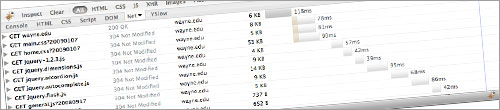
The Swiss army knife of web development. From viewing HTML to watching HTTP requests to manipulating code and CSS on the fly. A must have for any web developer, it will speed up your development time ten fold.
YSlow
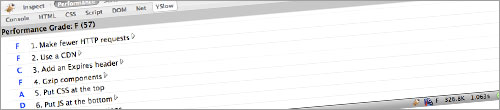
An extension of Firebug, YSlow takes optimization to the next level. It gives a score of your site based on Yahoo’s seven categories to evaluate a sites performance. It also shows the first time load impact of your page and with a primed cache. With this tool you can see where you can gain precious milliseconds.
HTML Validator
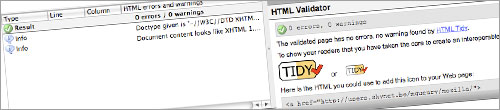
With the HTML Validator you can see which of your pages validate right in the status bar of Firefox. This almost eliminates the need to use the W3C Validator. It is not as strong as the W3C but very close.
FireCookie
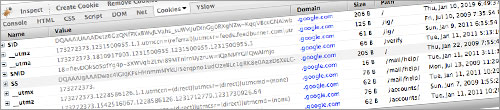
Extending Firebug even further is the FireCookie extension that not only shows you all your cookies but allows you to enable them on the fly. A great way to test for vulnerabilities and check under the hood of any web site.
Web Developer Toolbar
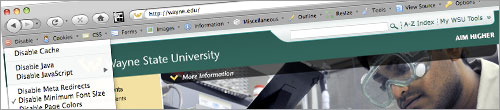
Another Firefox extension that will change your development forever. With this toolbar you can not only inspect everything about a page but also check it for accessibility and analyze style. Disabling javascript, images and even disable cache so you always get the freshest version of your pages.
Check Links

When putting together a site or redesigning making sure all the links work is crucial. Clicking on them all takes too much time, this Firefox extension in one click will check all the links on the page and show you visually which ones works and which ones are broken.
Reload Every
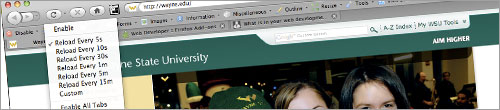
Are multiple people working on the same page or parts of the page and you want to track their progress while you work on your own tasks? This Firefox extension will automatically reload a web page at desired intervals saving tons of time switching windows if you did it manually.
Tails Export

Ever wonder which web sites are using microformats? This Firefox extension will show you right on the Firefox status bar and clicking it will show you all the microformats and the HTML that goes with them.
Microformats Bookmarklet

An alternative to the Firefox extension this Bookmarklet will show you all the microformats on a page when clicking on it. It requires you to click to see them but displays them in a prettier format.
Delicious Bookmarklet

When you run across a page that you want to bookmark or spread to your friends the delicious bookmarklet is a lightweight way to do that. Since your Firefox is probably already bogged down with loads of extensions this bookmarklet adds the same functionality without any extra load on your browser.
Ma.gnolia Bookmarklet

Same as the description above, just a different bookmark site. Pick your flavor.
For Internet Explorer
Probably the second best tool for web developers. Although we don’t like to think about it, IE still has a huge market share and if things looks odd in IE your users will notice. There is a Web Development toolbar for IE too. It doesn’t do as much as the Firefox extension but gives a great insight into how IE functions.
Web Accessibility Toolbar
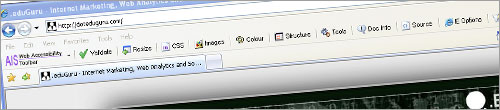
Testing accessibility in IE like in Firefox is also possible. Not that I do it unless there is a specific issue with how IE renders the page, you might.
For PC
IE Tester

Now this is probably the best way to test your site in four versions of IE all within the same window. You can see the rendering differences just by flipping through the tabs. It even includes the latest IE 8 rendering engine.
WinHTTrack Web Site Copier
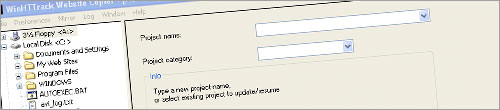
Often when we redesign a site we have to get a hold of all the content that is published without having direct access to their server. With this tool you just have to put in the URL(s) for a site and watch it go. It will download and localize all public accessible content on the domain. It is a great way to get all the PDF’s and Doc’s from a site and even see how many HTML pages they have out there.
Safari (PC)

If you only have access to a PC but want to see what OS X users are seeing? Now you can, Safari for the PC renders web pages the same as Safari for OS X. A great tool for PC users because Safari does have its quirks.
For Web Only
W3c Validator

Be sure to validate all your web pages, there is no excuse as a web developer to have invalid web pages out there.
Cynthia Says Accessibility Checker

Extending page validation making sure your web pages are accessible is key to being a professional web developer. It shows you know your craft and you care about your users. Not all users are as über as you, quite a bit have not only visual but also physical impairments. Make sure your web pages can reach all users effectively.
Free Site Validator - Validate an entire site
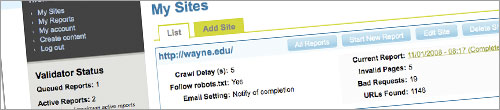
So what happens when your site starts to get too large to validate every web page manually? This Free Site Validator will validate your entire web site and let you know what pages don’t validate.
Clean CSS
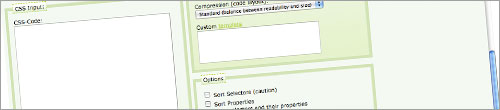
Not only will this format your CSS it will also optimize it. For large sites I recommend a server based solution but for small sites this will do well. It is also great when you get CSS from a developer who is not as “well skilled” as you to bring it back to maintainable. 
Opera - Small Screen Rendering
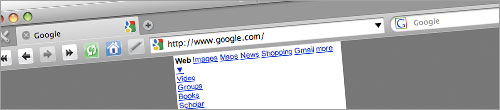
For OS X or PC Opera has a Small Screen Rendering ability that matches cell phone or PDA browser rendering pretty closely. It allow you to test how your web pages look without having to load them up on a cell phone every time you make a change.
For OS X
Parallels
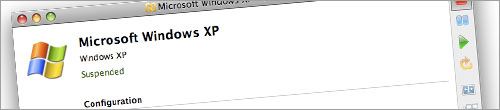
There is more than one virtual machine software out there. I have tired a few of them and ended up like parallels the best. It mainly has to do with the tools it offers and the ability to seamlessly run Windows and programs right within OS X. There is no trapping the mouse and keyboard. (cost)
Coda
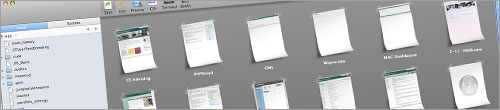
If you are a OS X developer and you want a more sophisticated tool than Dreamweaver, Coda is for you. It give you the elegance of OS X with the hard core coding tools of a real development platform. It also plays well with SVN so you can update and commit with elegance. (cost)
Transmit
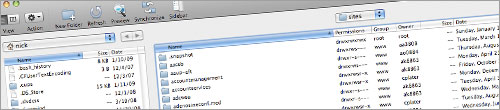
A straight forward FTP, SFTP, WebDAV and even AmazonS3 supported application. If you need to do any of these on OS X this is the tool for you. (cost)
TextMate
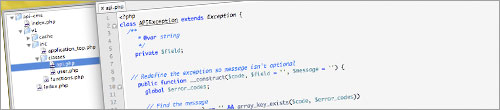
Although there is a free version called Just my favorite text editor, there is also BBEdit and the free TextWranger. Tabbed and project view. (cost)
Conclusion
This is by far not a comprehensive list of web development tools, its just the set I use. I am sure you have one or two not on this list and we would love to hear about them, feel free to comment with the name, link and how you use it.
Grest list Nick.
I could not live without the Web Developer Toolbar and Firebug for FF.
Another couple I’d add is WASP extension for FF (for debugging web analytics tools and a lot more) and Multiple IEs. Unfortunately 20% of our users are still using IE 6. Ugh.
This was a great list! There were many I was aware of, but a few new tools to add to the belt are always welcome.
Thanks!
Another One that I’m fond of when I can’t be in FF is the XRay Bookmarklet: https://westciv.com/xray/
Great list Nick, 80% of these tools I use each day and love. I keep on finding more and more features in firebug and don’t know what I’d do without it.
I use VMFusion though for virtualization. Windows XP with IE 6 , Ubuntu web server, and WPMU Appliance all at my fingertips. Great for testing and developing.
Other great Firefox addons:
Colorzilla: quick and easy way to identify and save colors on any web page
MeasureIt: quick mini ruler for finding pixel width and height
Screen grab!: creates an image of the entire length of the website for inspiration and printouts
I would also add the Facebook Developer Tools (I picked this up this morning on the twitter feed, thanks @bradjward) Great way for making your schools Facebook page stand out.
agree with Mike: most of these you have listed I use on a daily basis. To your list, I would add the Firefox Accessibility (firefox) Extension and the FAE site (https://fae.cita.uiuc.edu/) for testing Accessibility issues. For web apps, I would add Hackbar (https://addons.mozilla.org/en-US/firefox/addon/3899), and the Exploit-me suite (https://www.securitycompass.com/exploitme.shtml).
You say it’s not complete, but this is a heck of an extensive list. Like the list for Rock Stars.
Nick,The list rocks.I love to add these tools to the belt.Thanks.
Nice Collection of tools. Really usable tools. this will benefits a lot for web developers to design a good site.
I love editing CSS directly in the Firebug, because it makes moving and resizing elements much easier, you just need to select appropriate property and adjust it with arrow buttons.
Great list. I have just about scrapped all other CSS editors after I began using webdev toolbar for FF. One other plug-in I find handy is FireFTP since it allows me to quickly connect to all of my web sites without having to start a new application.
I am wondering how you compile all that because it is a great job indeed. I am not a web developer but I have a lot of information about all plugins of firefox which should be installed on a browser.
Thank you everyone for your tools! These are great, it looks like Firefox is really the hub for web developer tools, soo many extensions.
Two that I forgot to mention but they are accessible from the Web Developer Toolbar are the W3C CSS Validator (https://jigsaw.w3.org/css-validator/) and the W3C Feed Validator (https://validator.w3.org/feed/)
Ah, you forgot FireShot. With FireShot it’s so easy grabbing a screenshot, then adding some notes, and pass it on to a client.
https://screenshot-program.com/fireshot/
Just a correction: TextMate and TextWrangler are not related at all; each is produced by a separate company. TextWrangler is a free version of BBEdit.
Personally, I’ve used TextWrangler so long that it’s hard to move to TextMate, though I’ve heard great things.
Great list!
About the only “major” one you left off the list was Xenu link slueth.
https://home.snafu.de/tilman/xenulink.html
Brian, It is now fixed in the article.
Thank you for bringing this to my attention. You are so true, not sure how I forgot about BBEdit but I did.
This is great stuff everyone, keep it up! I might have to update the post with all the added tools.
Great Collection of tools. I just loved the fireBug for FireFox which helps in editing CSS. Simple & Easy to use tool.
Lots of tools I already knew about, but many I havn’t seen yet.
Thanks for the list. Definitely a good find.
Great Lists!
I have been looking for something like IETester for quite sometime. IE grrrrrrrrr…..
I have got what i have been searching for some long time..Thank you very much its really going to help me.
Thanks for the exhaustive list. It shall surely be quite helpful
his was a great list! There were many I was aware of, but a few new tools to add to the belt are always welcome. IE Tester Makes me relief from the using of IE
That’s a great list. I found the W3c validator really useful for picking up errors on my site.
Nice Collection of tools.I love to add these tools to the belt.
Thanks.
Thank you very much for the Bookmarklets information it was very useful for my knowledge…. thanks a lot
I already have most of the tools I need from the list above but I didnt know about the IEtester so will be downloading that, saves me having to try different machines to see how it looks.
Thanks for the List!
Some of the Tools are completly new for me so i check them out! - Thanks a lot!
YSlow for eg. is totally new and really great
Awesome List!!! thanks Associate Directorfor the post. i feel sometime i am just using a IDE not a browser especially installing web developer
For me the most important is Web Developer Toolbar and Firebug, I’ve been using it for a while now.
Textmate hands down is the best editor on the planet, i built my whole site with it and only went to mac for it.
Decent list here! I’d also add the great https://tester.jonasjohn.de/
tool set
Great Tools! I’ve actually used some of the tools posted here and I loved it. I’ll be trying some of your recommendations.
This is an awesome collection of tools. I have already tried using a few of them and would love to try the other ones. Thanks for sharing these helpful tools.